
VPN vs. Incognito Mode: Two Tools That Do Very Different Things
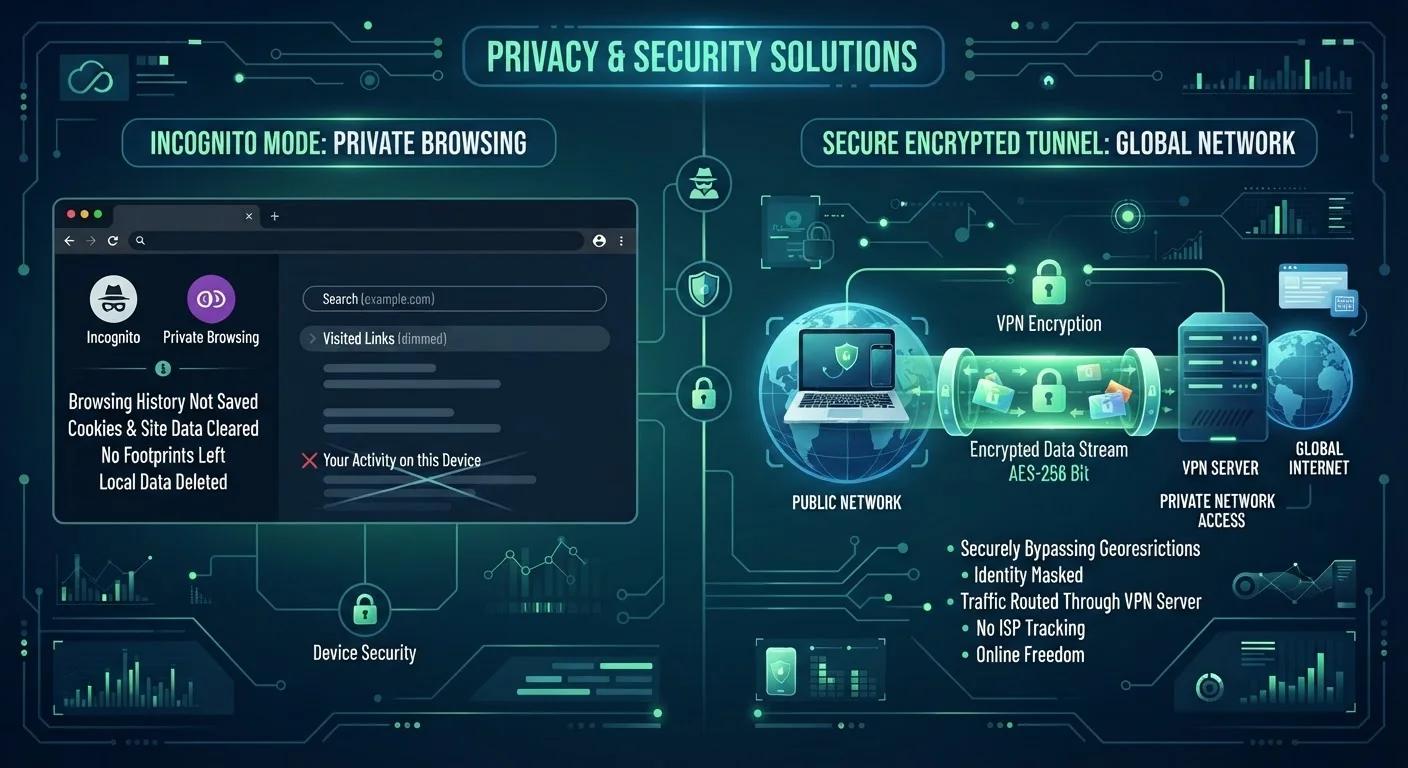
Photo credit: TrendingExperts.net
In this article
Incognito and VPNs are both tied to privacy, but they protect against entirely different threats. Here's what each one actually does and doesn't do.
Key Takeaways
- Incognito mode only prevents your browser from saving history locally - it doesn't hide your activity from websites or your ISP.
- A VPN encrypts your internet traffic and masks your IP address, protecting you from network-level observers.
- Neither tool makes you completely anonymous online - both have meaningful limitations.
- For public Wi-Fi safety, a VPN provides far more protection than incognito mode.
- Using both together is possible, but they address different privacy concerns independently.
What Each Tool Actually Does
Privacy tools are easy to confuse when they share the same vague label of being "private." But a VPN and incognito mode operate at completely different layers of your digital life.
Incognito mode (also called Private Browsing in Firefox and Safari) is a browser feature that tells your browser not to save your session data. When you close an incognito window, your browser deletes the history, cookies, and any form data from that session. That's it. The activity still happened - your internet provider saw it, the websites you visited logged your IP address, and your employer's network recorded it if you were on company Wi-Fi.
A VPN, or Virtual Private Network, works at the network level. It routes your internet traffic through an encrypted tunnel to a server operated by the VPN provider, then out to the web. To anyone watching your network - your ISP, a hacker on public Wi-Fi, or a network admin - your traffic appears as encrypted noise headed to the VPN server. They can't easily see which websites you're visiting or what data you're sending. For more on why network-level protection matters, see what you're actually risking on public Wi-Fi.
| Criterion | VPN | Incognito Mode |
|---|---|---|
| Hides activity from ISP | Yes | No |
| Hides activity from public Wi-Fi observers | Yes | No |
| Prevents local browser history | No | Yes |
| Masks your IP address from websites | Yes (replaces with VPN IP) | No |
| Deletes cookies after session | No | Yes |
| Hides activity from employer/school network | Partially | No |
| Requires additional software | Yes | No (built into browser) |
| Prevents website tracking/fingerprinting | No | No |
What Neither Tool Protects You From
Understanding the limits of these tools is just as important as knowing what they do. Incognito mode is one of the most widely misunderstood features in everyday tech - common myths about incognito mode have led many people to assume a level of protection it simply doesn't offer.
Even in incognito mode, websites still see your IP address, can fingerprint your browser, and can track you using login sessions. If you sign into Google while incognito, Google records that activity. Incognito is a local privacy tool, not an anonymity shield.
VPNs have their own blind spots. The VPN provider itself can technically see your traffic. A reputable provider with a verified no-logs policy reduces that risk, but the trust shifts from your ISP to the VPN company. VPNs also don't block tracking pixels, browser fingerprinting, or cookies from websites - those are handled at the browser or account level.
No Tool Equals Complete Anonymity
Both VPNs and incognito mode reduce certain types of exposure - but neither makes you invisible online. Websites, advertisers, and determined observers have multiple methods to identify users beyond IP addresses and browser history. Understanding realistic expectations helps you make better decisions about which protections actually fit your situation. For a broader look at what privacy tools can and can't do, see online privacy myths most Americans still believe.
Neither tool replaces strong account security practices. For a deeper look at layered login protection, see two-factor authentication vs. two-step verification.
Choosing the Right Tool for the Right Situation
The most useful frame is to ask: who am I trying to hide my activity from?
- From someone else using my device: Incognito mode is the right call. It keeps your session off the local browser history.
- From my ISP or network observers: A VPN is necessary. Incognito mode does nothing here.
- From the websites I'm visiting: Neither tool fully solves this. Websites see your IP (VPNs replace it with the VPN server's IP, which helps), and logins defeat both tools entirely.
Many people find value in using both simultaneously - browsing incognito while connected to a VPN - to address both local and network-level privacy in one session. It's not redundant; the two tools simply tackle different problems. For related context on choosing the right connection type to start with, see when Wi-Fi vs. mobile data actually serves you better.
The bottom line: incognito mode is a lightweight local cleanup tool. A VPN is a network-level privacy layer. Knowing which threat you're facing helps you reach for the right one - or both.

Author
Technology Editorial Team
Technology Editorial Team is the collective byline for our editorial team and contributor network. Articles published under this byline or an editorial pen name are researched, written, and reviewed according to our editorial standards for clarity, consistency, and independence before publication.
View all articles →