
Wi-Fi vs. Mobile Data: When Each One Actually Serves You Better
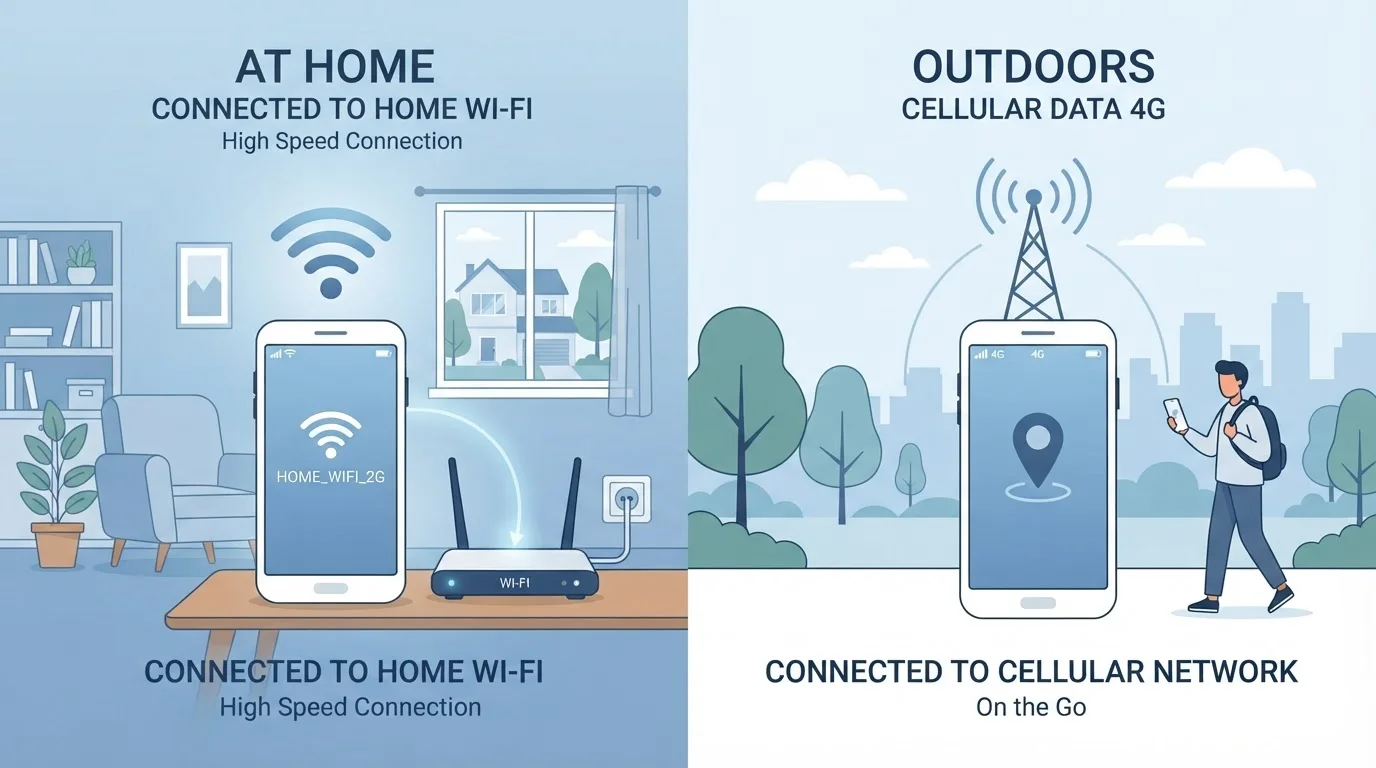
Photo credit: TrendingExperts.net
In this article
Wi-Fi isn't always safer or faster, and mobile data isn't always slower. Here's how to choose the right connection for what you're doing.
Key Takeaways
- Wi-Fi is generally faster for heavy tasks at home, but public Wi-Fi carries real security risks.
- Mobile data is more private on open networks and works anywhere your carrier has coverage.
- Neither connection is universally better - the right choice depends on where you are and what you're doing.
- Your phone automatically prefers Wi-Fi when available, but you can override this when it makes sense.
- Data caps on mobile plans make Wi-Fi the smarter pick for large file downloads and software updates.
What's Actually Happening When You Connect
Wi-Fi and mobile data both give your device access to the internet, but they work in fundamentally different ways. Wi-Fi connects your device to a local router - a small box that links to the internet through a wired broadband line. Your phone or laptop communicates wirelessly with that router, usually within a range of about 100-300 feet indoors.
Mobile data, by contrast, connects your device directly to your wireless carrier's network through cell towers. There's no router in the middle. Your signal travels from your phone to the nearest tower and from there to the broader internet. This is what makes mobile data portable - your connection moves with you as you travel between towers.
Understanding this distinction matters because it explains why each option has different strengths. Wi-Fi's performance depends on your broadband plan and how many devices share the router. Mobile data's performance depends on your carrier's network strength, the technology generation (4G LTE vs. 5G), and how congested your local tower is. For a deeper look at how devices handle these connections differently, see our guide to laptops and tablets.
Speed and Performance: Context Matters More Than You Think
A common assumption is that Wi-Fi is always faster than mobile data. That's often true at home with a solid broadband plan, but it isn't a rule. A strong 5G mobile connection can exceed the speed of an average home Wi-Fi setup, especially if your router is older or placed far from the room you're in.
On the flip side, public Wi-Fi at a coffee shop or hotel might feel sluggish because dozens of people share the same bandwidth. Your home connection - even on mid-tier broadband - is likely more reliable for tasks like video calls or streaming than the free Wi-Fi at an airport gate.
| Criterion | Wi-Fi | Mobile Data |
|---|---|---|
| Typical speed | High at home; varies on public networks | Varies by carrier and signal; 5G can be very fast |
| Portability | Limited to router's range | Works anywhere with carrier coverage |
| Security on shared networks | Lower - open Wi-Fi has real risks | Higher - encrypted cellular connection |
| Data limits | Usually unlimited on home plans | Subject to monthly cap on most plans |
| Battery impact | Generally lower power usage | Higher, especially with weak signal |
| Best for large downloads | Yes - ideal for updates and backups | No - eats into data allowance quickly |
| Best for on-the-go use | No - drops when you leave range | Yes - follows you wherever you go |
The practical takeaway: check your actual signal quality rather than assuming one is always faster. Both Wi-Fi and mobile data display signal strength indicators on your device. If your Wi-Fi shows weak bars and your mobile data shows full signal, switching could noticeably improve your experience.
Security: The Case for Mobile Data in Public
This is where mobile data has a genuine, underappreciated edge. When you connect to a public Wi-Fi network - at a library, café, or airport - your device joins a shared network alongside strangers. Depending on how that network is configured, it's possible for other users on the same network to intercept unencrypted data. Attackers sometimes create fake hotspots that mimic legitimate network names to trick people into connecting.
Mobile data sidesteps this entirely. The connection between your phone and your carrier's tower is encrypted by the cellular protocol itself, making it far harder for casual attackers nearby to snoop on your traffic.
When to Reconsider Public Wi-Fi
Even HTTPS websites (those with the padlock icon) encrypt your data in transit, which reduces some public Wi-Fi risks. However, not all apps and services use HTTPS consistently, and fake hotspots can bypass this protection. Using mobile data for banking, email, or anything requiring a login is a straightforward way to reduce exposure on untrusted networks.
That doesn't mean mobile data is completely risk-free - sophisticated attacks on cellular networks exist - but for everyday use, your mobile connection is meaningfully more private than open public Wi-Fi. If you regularly use public networks, our article on what you risk on public Wi-Fi covers the threats in plain detail.
Data Limits and Battery: Two Overlooked Trade-Offs
Most mobile plans in the U.S. come with a data cap - typically somewhere between 5 GB and 50 GB per month on standard plans, though unlimited plans are common. Streaming a single HD movie can use 3-7 GB. Downloading a large app update can use several more. Burning through your monthly allowance on tasks you could have done over Wi-Fi is one of the most common avoidable costs for smartphone users.
Battery life is the other factor worth knowing. Wi-Fi generally uses less power than mobile data, particularly in areas with weak cellular signal. When your phone is straining to maintain a weak 4G connection, it works harder and drains faster. Switching to Wi-Fi in those situations - or even enabling Airplane Mode when you don't need internet access - can extend your battery life meaningfully.
Syncing is one area where this especially adds up. Apps that automatically back up photos, sync files, and refresh content in the background can quietly consume mobile data throughout the day. See our explanation of what syncing actually does to understand how to manage this behavior.
Making the Right Call for Your Situation
Rather than defaulting to whichever connection your phone auto-selects, you can make a conscious habit of choosing based on context. A few practical rules of thumb:
- At home or in your workplace: Use your trusted Wi-Fi for anything data-heavy. Reserve mobile data for when you step outside.
- On public Wi-Fi: Avoid logging into financial accounts or entering passwords unless you're using a VPN. Mobile data is a safer alternative for sensitive tasks. You can learn how tools like VPNs fit into this picture in our article on VPNs vs. incognito mode.
- On the road: Mobile data is your only realistic option - embrace it, but be mindful of your plan's limits.
- When Wi-Fi is slow or unreliable: Don't hesitate to switch to mobile data. Your phone won't do this automatically if it detects any Wi-Fi signal, even a weak one.
Both connections have a legitimate place in your daily digital life. The goal isn't to pick one permanently - it's to understand what each does well so you can match your connection to the task at hand.

Author
Technology Editorial Team
Technology Editorial Team is the collective byline for our editorial team and contributor network. Articles published under this byline or an editorial pen name are researched, written, and reviewed according to our editorial standards for clarity, consistency, and independence before publication.
View all articles →