
Signing In With Google or Facebook: The Trade-Off Nobody Explains
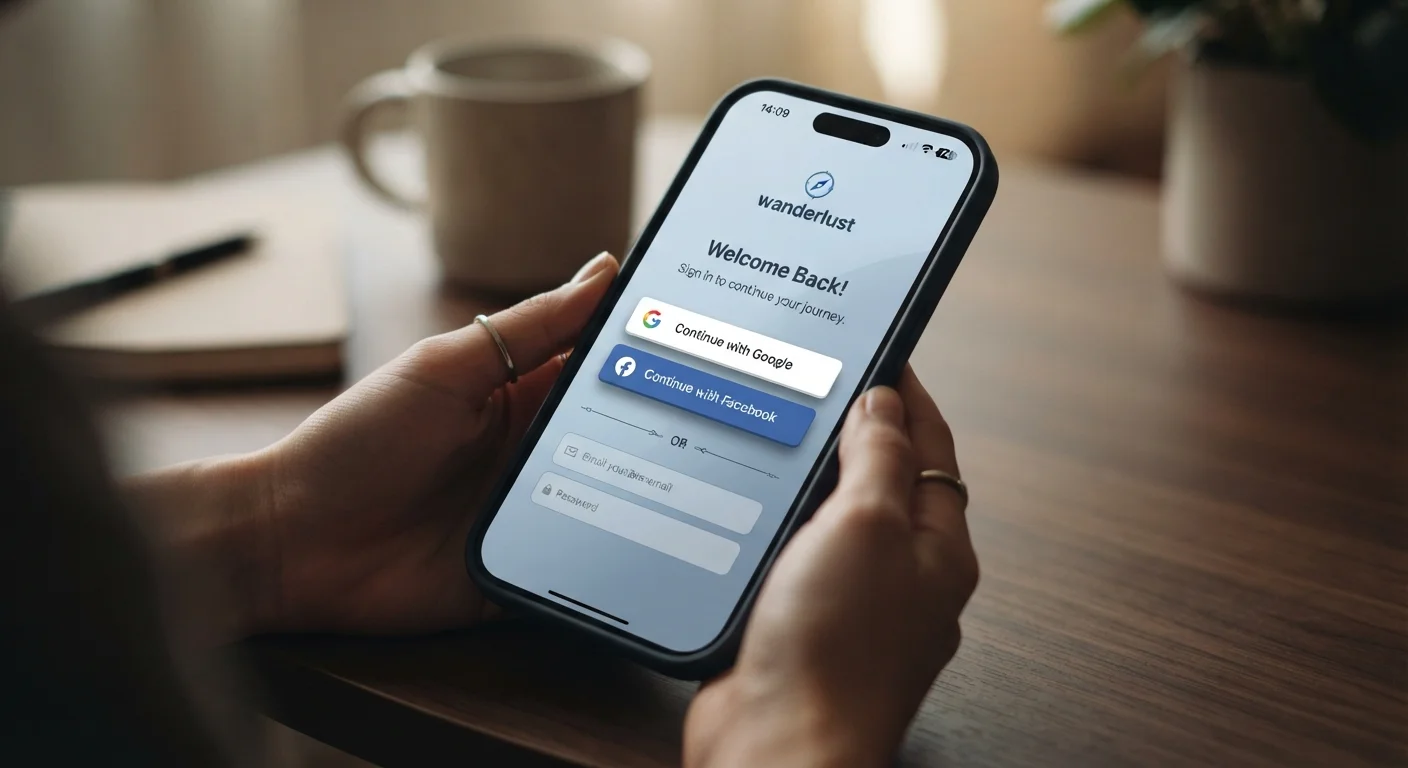
Photo credit: TrendingExperts.net
In this article
One-click logins are convenient, but they come with data-sharing implications most users never read. Here's what you're agreeing to.
Key Takeaways
- Social sign-in links your third-party app activity to your Google or Facebook account.
- If your Google or Facebook account is compromised, every connected app is at risk too.
- You can review and revoke app permissions from your account security settings at any time.
- A password manager is a strong alternative that avoids the data-sharing trade-off entirely.
- Reading the permission screen before tapping 'Continue' takes seconds and matters significantly.
Eliminates forgotten-password frustration instantly
Social sign-in removes the need to create or remember separate credentials for each app, which is one of the most common reasons people get locked out of accounts.
Faster account setup with fewer steps
Instead of filling out registration forms and verifying email addresses, the entire process often completes in two taps - reducing friction significantly.
Leverages stronger security infrastructure
Google and Facebook maintain robust login protections, including anomaly detection and multi-factor authentication, that many smaller apps simply don't offer on their own.
Reduces weak password reuse across services
When people avoid creating new accounts, they avoid the temptation to recycle easy-to-guess passwords - a common source of credential-stuffing vulnerabilities.
Creates a dangerous single point of failure
One compromised Google or Facebook account can cascade into unauthorized access across every app linked to it, amplifying the damage of a single breach.
Data flows back to the identity provider
Your activity on connected apps may inform ad targeting or platform analytics at Google or Facebook, depending on their current data policies - which users rarely read.
Account suspension can lock you out everywhere
If your identity provider account is suspended or inaccessible, you may lose access to all connected apps simultaneously, with no independent login fallback available.
Permission screens are easy to overlook
Apps sometimes request access to contacts, calendar, or other sensitive data. Users who tap through quickly may grant far broader permissions than they realize or intend.
What Actually Happens When You Tap 'Continue With Google'
When you choose to sign in using Google or Facebook, you're not just skipping a password form. You're authorizing a data exchange between two separate companies. The app you're signing into requests certain information from your Google or Facebook account - typically your name, email address, and profile photo - and your identity provider (Google or Facebook) vouches for who you are.
Before the handoff completes, a permissions screen appears listing exactly what data the app is requesting access to. Many people tap through this without reading it. That screen may include access to your contacts, calendar, location history, or public profile details depending on the app. Understanding that this screen is a real agreement - not just a loading step - is the starting point for using social sign-in wisely.
Your activity on the connected app may also flow back toward the identity provider. Facebook, in particular, uses data from third-party apps and websites to inform its ad targeting systems. Google's policies differ but similarly allow data to inform services. For a fuller picture of how your browsing behavior accumulates over time, see how your digital footprint builds up.
The Real Advantages of Social Sign-In
The convenience factor is legitimate and worth acknowledging. Social sign-in removes one of the most common causes of account lockouts: forgotten passwords. It also means you don't create yet another username-password combination that might be stored insecurely by a smaller app.
Eliminates forgotten-password frustration instantly
Social sign-in removes the need to create or remember separate credentials for each app, which is one of the most common reasons people get locked out of accounts.
Faster account setup with fewer steps
Instead of filling out registration forms and verifying email addresses, the entire process often completes in two taps - reducing friction significantly.
Leverages stronger security infrastructure
Google and Facebook maintain robust login protections, including anomaly detection and multi-factor authentication, that many smaller apps simply don't offer on their own.
Reduces weak password reuse across services
When people avoid creating new accounts, they avoid the temptation to recycle easy-to-guess passwords - a common source of credential-stuffing vulnerabilities.
~50%
Users who choose social sign-in when offered
Industry login flow analyses consistently show that roughly half of users opt for social sign-in over creating a new account when both options are presented.
Top 3
Reason for account abandonment
Forgetting a password is among the most commonly cited reasons users abandon a sign-up or login process, according to UX and identity management research.
There's also a security upside that surprises most people. Google and Facebook invest heavily in account security infrastructure - including suspicious login detection and two-factor authentication support. A smaller app you're signing into probably doesn't. By routing authentication through a major provider, you're outsourcing login security to a more hardened system, provided your primary account is itself well protected. You can strengthen that foundation by reviewing how two-factor authentication actually works.
The Trade-Offs Most Users Miss
The central risk is consolidation. Linking many apps to one account creates a single point of failure. If your Google or Facebook account is ever breached, every app you've connected to it becomes accessible to the attacker - without them needing those apps' individual passwords.
Creates a dangerous single point of failure
One compromised Google or Facebook account can cascade into unauthorized access across every app linked to it, amplifying the damage of a single breach.
Data flows back to the identity provider
Your activity on connected apps may inform ad targeting or platform analytics at Google or Facebook, depending on their current data policies - which users rarely read.
Account suspension can lock you out everywhere
If your identity provider account is suspended or inaccessible, you may lose access to all connected apps simultaneously, with no independent login fallback available.
Permission screens are easy to overlook
Apps sometimes request access to contacts, calendar, or other sensitive data. Users who tap through quickly may grant far broader permissions than they realize or intend.
Check What Permissions You've Already Granted
Many users who have been online for several years have accumulated dozens of connected apps they no longer use. Each one still technically holds access until explicitly revoked. It's worth scheduling a few minutes each year to audit your connected apps list on both Google and Facebook - you may be surprised by what still has a link to your account.
There's also a dependency risk that rarely comes up: if you lose access to your identity provider account - through a forgotten recovery method, a policy violation, or an account suspension - you may find yourself locked out of every service you connected to it. Apps signed into via social login often have no independent password fallback.
For readers who want an alternative that avoids these trade-offs entirely, password managers offer a different set of compromises worth comparing.
How to Take Control of Your Connected Apps
The good news is that both Google and Facebook give you a clear interface to see which apps have been granted access to your account and to revoke that access at any time. On Google, go to myaccount.google.com, select Security, and look for Third-party apps with account access. On Facebook, navigate to Settings & Privacy > Settings > Apps and Websites.
When reviewing the list, remove any app you no longer use or don't recognize. Check what permissions each remaining app still holds - some may have been granted broader access than you remember. This kind of periodic audit fits naturally alongside the broader account hygiene steps described in locking down your accounts before a breach happens. Reviewing your device's app-level permission settings is another layer worth adding - covered in detail at device security settings most people skip.
Going forward, the habit to build is simple: read the permissions screen before tapping Continue. If an app is asking for access to your contacts or calendar and there's no obvious reason it would need them, that's a signal to either decline and create a separate account instead, or to reconsider using the app at all.

Author
Technology Editorial Team
Technology Editorial Team is the collective byline for our editorial team and contributor network. Articles published under this byline or an editorial pen name are researched, written, and reviewed according to our editorial standards for clarity, consistency, and independence before publication.
View all articles →