
Laptop or Tablet: Understanding the Real Trade-Offs Before You Decide
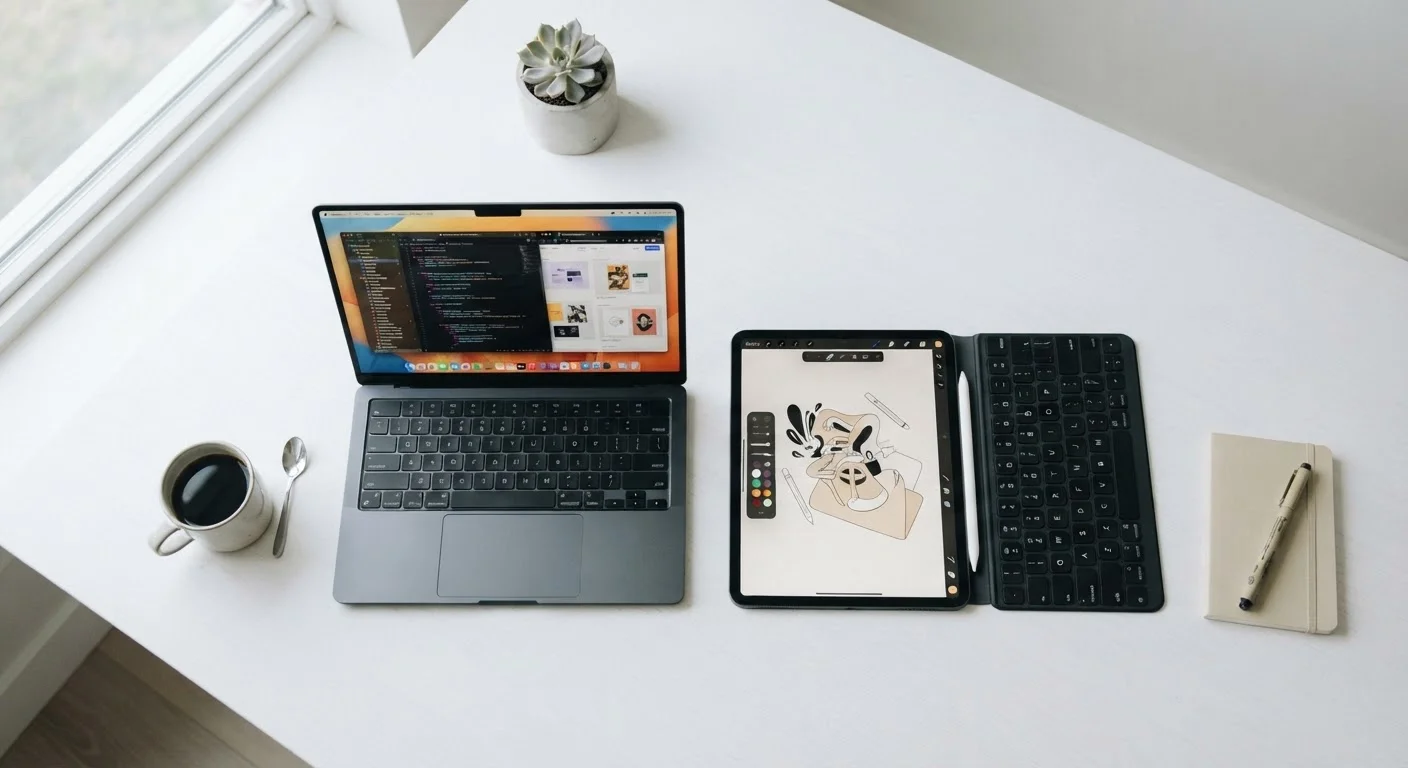
Photo credit: TrendingExperts.net
In this article
Portability, keyboard support, software access — here's how laptops and tablets differ in ways that matter for everyday use.
Key Takeaways
- Laptops handle complex software and extended typing tasks better than most tablets.
- Tablets excel at portability, battery life, and casual media consumption.
- A keyboard case can bridge some gaps, but tablets still have software limitations.
- Your daily tasks - not specs or price - should drive the decision.
- Some users genuinely benefit from owning both devices for different contexts.
Why This Decision Is Harder Than It Looks
Walk into any electronics store and the pitch for both laptops and tablets sounds compelling. Tablets are thin, light, and have all-day battery life. Laptops have keyboards, more software, and feel like "real" computers. The problem is that neither description tells you much about how each device will actually perform in your daily routine.
The gap between the two has also narrowed. Many tablets now support detachable keyboards and stylus pens. Some laptops fold into tablet-like modes. That overlap makes the choice feel murkier - but the underlying trade-offs are still very real, and understanding them can save you from buying something that frustrates you within a month.
This guide cuts through the marketing language and focuses on the practical differences that show up during actual use.
Where Laptops Genuinely Have the Edge
Laptops are built around a core assumption: you need to get sustained, complex work done. That shapes nearly every decision in their design.
- Full desktop software: Laptops run complete operating systems - Windows or macOS - which means you can install professional-grade applications for video editing, accounting, coding, or design that simply aren't available in tablet app stores.
- Typing comfort: A built-in physical keyboard with proper key travel makes a significant difference over hours of writing. Tablet keyboard cases can help, but they often feel cramped and lack the stability of a laptop on your lap.
- Multitasking: Running several applications side by side - a spreadsheet next to a browser next to a video call - is far smoother on a laptop. Tablets have improved at this, but desktop-class multitasking is still a laptop strength.
- Ports and connectivity: Most laptops include USB ports, headphone jacks, and SD card slots as standard. Tablets frequently require dongles or adapters for the same connections.
If your work involves producing content rather than just consuming it, or if you rely on specific software for your job or studies, a laptop will likely serve you better. For a deeper look at what specs like RAM and processing speed mean for day-to-day performance, see what those numbers actually mean.
| Laptop | Tablet | |
|---|---|---|
| Typing experience | Built-in full keyboard | Touch or add-on keyboard |
| Software access | Full desktop applications | App store only (limited) |
| Portability | Moderate (2-4 lbs typical) | High (under 1.5 lbs typical) |
| Battery life | 6-10 hours typical | 10-12 hours typical |
| Multitasking | Strong, multiple windows | Improving but still limited |
| Touchscreen | Rare, not primary input | Central to the experience |
| Port availability | USB, HDMI, audio standard | Often requires adapters |
| Best for | Creating, complex work | Consuming, casual tasks |
Where Tablets Shine
Tablets are optimized for a different set of priorities - and for many people, those priorities match their actual lifestyle more closely than they expect.
- Weight and portability: Most tablets weigh under a pound and a half. Even thin laptops typically weigh twice that. For commuters, travelers, or anyone who carries their device all day, that difference is felt immediately.
- Battery life: Tablet batteries commonly last 10-12 hours of active use. Many laptops still struggle to reach 8 hours under real-world conditions.
- Touch-first experience: Scrolling, pinching, drawing, and annotating feel natural on a touchscreen in ways that trackpad gestures don't replicate. For reading, digital art, or annotating documents, a tablet is genuinely more intuitive.
- Simplicity: Tablets boot fast, rarely need manual maintenance, and stay uncluttered. For users who just want to browse, stream, or video-call without managing a file system, that simplicity is a feature, not a limitation.
If you're setting up a device for a younger family member, what to check before handing a tablet to a young child walks through content filters and privacy settings worth reviewing first.
Try Before You Commit
If possible, spend time using both a tablet with a keyboard case and a laptop before deciding. Many libraries and electronics retailers have floor models available. Typing a few paragraphs and navigating your usual apps for even 15 minutes can reveal comfort differences that no spec sheet will show you.
The Software Gap Still Matters
One of the most overlooked differences between laptops and tablets is software access. Tablets run mobile operating systems - iPadOS or Android - which use curated app stores. This is generally safe and convenient, but it means some software categories are unavailable or significantly scaled back.
Examples where the gap is real: full versions of desktop productivity suites, local file management tools, certain web browsers with extension support, professional audio or video software, and many workplace-specific applications. Some of these have tablet-friendly alternatives, but "similar" isn't always equivalent when your workflow depends on specific features.
The line between apps and websites also matters here. A tablet's browser can access most web-based tools, but locally installed software behaves differently. If you're curious about that distinction, the real difference between an app and a website breaks it down clearly.
Before deciding, list the specific programs or tools you use regularly and check whether tablet versions exist and cover what you need. Don't assume they do.
Making the Call: Questions Worth Asking Yourself
Rather than focusing on specs, start with your habits. These questions tend to surface the real answer faster than any benchmark comparison:
- How much do you type each day? If you regularly write emails, reports, or documents, a physical keyboard matters - and a built-in one on a laptop is more reliable than an add-on.
- Do you use any specific software that requires a desktop OS? If yes, a laptop is likely necessary unless a web-based alternative works for you.
- Where do you use your device most? At a desk most of the time, a laptop's size isn't a burden. On the couch, on a plane, or standing up, a tablet's form factor is genuinely better.
- What's your primary activity? Creating content (writing, editing, coding) favors laptops. Consuming content (streaming, reading, browsing) favors tablets.
It's also worth thinking about longevity. Laptops tend to stay useful longer for complex tasks because their hardware is generally more powerful. For tips on getting the most out of a laptop over time, keeping a laptop running well for years covers the practical habits that extend device life.

Author
Technology Editorial Team
Technology Editorial Team is the collective byline for our editorial team and contributor network. Articles published under this byline or an editorial pen name are researched, written, and reviewed according to our editorial standards for clarity, consistency, and independence before publication.
View all articles →