
Software Subscriptions vs. One-Time Purchases: How the Industry Changed
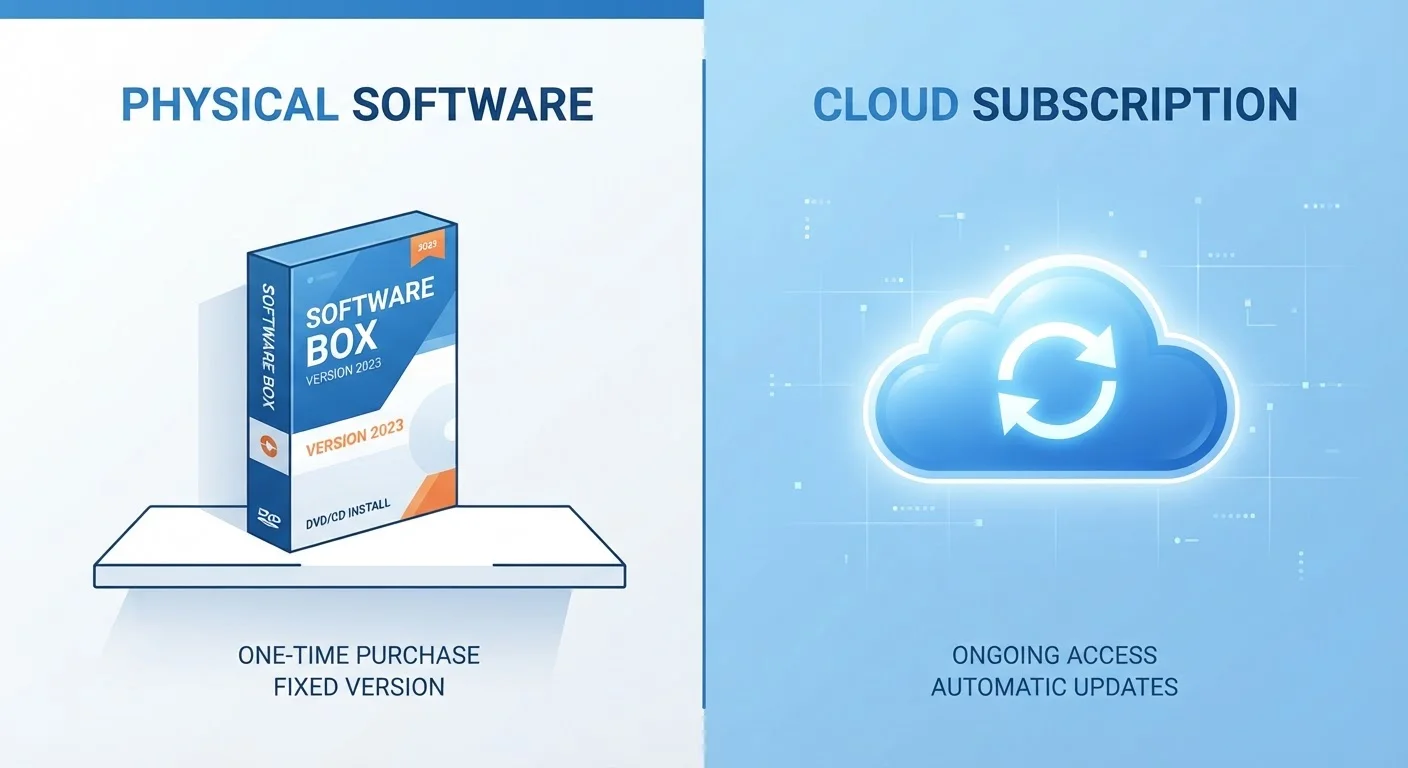
Photo credit: TrendingExperts.net
In this article
Software used to mean paying once and owning it. Today subscriptions dominate — here's what drove the shift and what it means for everyday users.
Key Takeaways
- Software publishers shifted to subscriptions primarily for more predictable and recurring revenue streams.
- One-time purchases give you lasting ownership but often miss out on regular updates and new features.
- Subscriptions typically include automatic updates, cloud storage, and multi-device access.
- Over several years, subscription costs can exceed what a perpetual license once cost outright.
- Some software categories still offer one-time purchase options, especially indie and productivity tools.
- Knowing your actual usage habits is the most important factor when choosing between the two models.
How Software Used to Be Sold
Not long ago, buying software meant walking into a store, picking up a box, and installing it from a disc. You paid once - sometimes a significant upfront amount - and the program was yours indefinitely. Microsoft Office, Adobe Photoshop, and countless other tools were sold this way throughout the 1990s and 2000s.
This perpetual license model gave users genuine ownership. The software would keep working even if the company went out of business, and there were no recurring charges to manage. Upgrades existed, but they were optional - you could stay on an older version as long as your operating system supported it.
The tradeoff was that updates were infrequent and bug fixes sometimes arrived only with paid major releases. Piracy was also a constant concern for publishers, since a single purchase could be copied and shared without restriction.
Why Companies Moved to Subscriptions
The shift toward subscription pricing accelerated through the 2010s, driven largely by business interests. For publishers, subscriptions create a predictable, recurring revenue stream rather than unpredictable spikes around major releases. Investors tend to reward this model because it makes a company's finances easier to forecast.
Cloud infrastructure made subscriptions technically practical. When software lives partly online - syncing files, verifying licenses, delivering updates - it becomes easier to tie access to an active account. Adobe's move from boxed Creative Suite products to the Creative Cloud subscription around 2013 marked a turning point that many other companies watched closely and eventually followed.
Subscription models also gave developers a stronger argument against piracy: if the product requires ongoing authentication and cloud features, unlicensed copies lose significant functionality. Publishers also pointed out - with some validity - that subscriptions fund continuous development, meaning users get improvements throughout the year rather than waiting years for a major paid release.
| Criterion | One-Time Purchase | Software Subscription |
|---|---|---|
| Upfront cost | Higher initial price | Lower initial cost |
| Long-term cost | Fixed; no recurring fees | Accumulates over time |
| Software updates | Optional, often paid separately | Included automatically |
| Ownership | Perpetual license | Access while subscribed |
| Cloud & syncing features | Typically limited or absent | Usually included |
| Multi-device use | Often single device | Multiple devices common |
| Risk if you stop paying | None - software still works | Access ends or is restricted |
| Availability | Increasingly rare in major software | Now the dominant model |
What Each Model Means for Everyday Users
From a practical standpoint, both models come with genuine advantages and genuine drawbacks depending on how you use software.
With a one-time purchase, you know exactly what you paid and the software will not stop working because you missed a payment. However, you may find yourself running an outdated version that lacks features or security patches available only to subscribers. Compatibility with newer operating systems can also become an issue over time.
With a subscription, you always have the current version and typically gain access to cloud storage, cross-device syncing, and sometimes entire suites of related apps bundled together. The challenge is cost accumulation - $10 or $15 per month sounds modest, but over five years that adds up to $600-$900 for a single tool. Multiply that across several apps and the total can become significant.
Understanding what you actually lose without a subscription can help you decide which tier genuinely fits your needs rather than defaulting to the cheapest or most feature-packed option.
~2013
Year subscription software went mainstream
Adobe's shift to Creative Cloud subscription pricing around 2013 is widely cited as the inflection point that prompted the broader industry to follow.
$600-$900
Potential 5-year subscription cost per app
A single app priced at $10-$15 per month accumulates to this range over five years, often exceeding the original one-time license price.
70%+
Share of software revenue now subscription-based
Industry analysts have broadly noted that the majority of major software publishers now derive most of their revenue from recurring subscription models rather than perpetual sales.
Where the Market Stands Today
The subscription model now dominates enterprise and creative software, but the landscape is more varied than it might appear. A growing number of independent developers and smaller publishers have deliberately kept one-time pricing, positioning it as a feature rather than a limitation. Apps in productivity, writing, and utilities categories are often available as perpetual purchases, sometimes with optional paid upgrades for major new versions.
Interestingly, some companies have begun offering both options simultaneously - a perpetual license for users who prefer ownership and a subscription for those who want continuous updates. This parallels what happened in media, where content licensing in streaming reshaped how audiences access films and shows in ways that left some users with less permanent ownership than they expected.
For users evaluating their software spending overall, it can also be worth considering how the hidden math of commitment pricing applies. Subscription discounts versus pay-as-you-go pricing is a framework that extends well beyond software into many areas of everyday spending.
The most practical approach is to audit which subscriptions you actively use and how often, and compare that against what a one-time license would have cost over the same period. That calculation - not marketing messaging - is what should guide the decision.
What Happens to Your Files If You Cancel?
A common concern with subscription software is what happens to files created in that app if you stop paying. In many cases - such as with office or design tools - you retain access to your files in standard formats, but you may lose the ability to edit them within the application. Before subscribing, it is worth checking the publisher's cancellation and data export policy so you are not caught off guard.

Author
Technology Editorial Team
Technology Editorial Team is the collective byline for our editorial team and contributor network. Articles published under this byline or an editorial pen name are researched, written, and reviewed according to our editorial standards for clarity, consistency, and independence before publication.
View all articles →