
Setting Up Your First Home Studio Without Wasting Space or Money
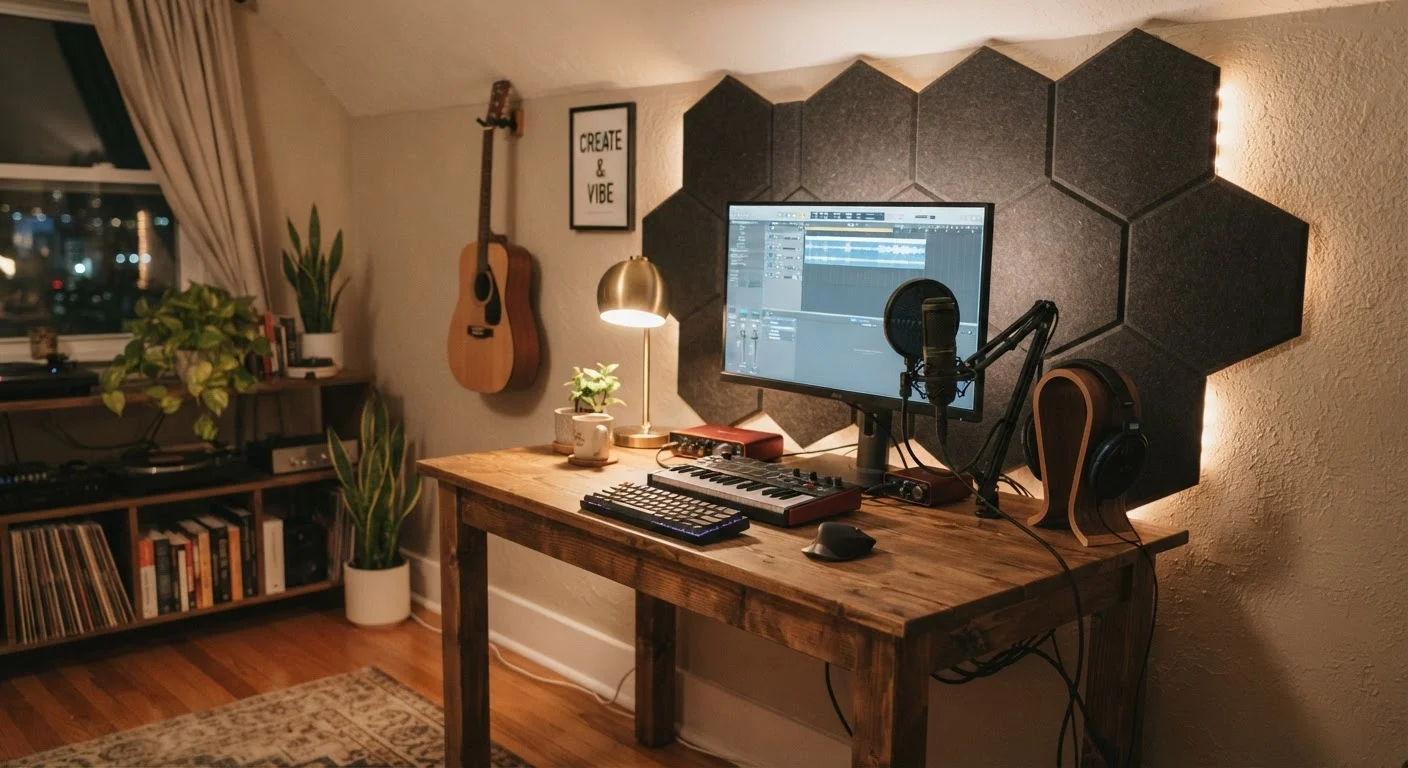
Photo credit: TrendingExperts.net
In this article
A functional creative space doesn't require a spare room or a big budget. Use this checklist to plan a setup that actually works.
Key Takeaways
- A dedicated room is not required - a well-planned corner or closet can work beautifully.
- Acoustic treatment matters more than expensive gear for recording quality.
- Define your primary creative discipline before buying any equipment.
- Multi-purpose furniture and wall-mounted storage dramatically reduce footprint.
- Free and low-cost software can handle most beginner production needs.
Why Your First Studio Doesn't Need to Be a Big Deal
The idea of a home studio often conjures images of soundproofed rooms packed with rack-mounted gear - an intimidating picture that stops many aspiring creators before they even start. The truth is far more encouraging: a thoughtful, space-smart setup built around your actual creative goals will outperform a poorly planned expensive one every single time.
Whether you're laying down vocal tracks, producing beats, recording a podcast, painting on canvas, or editing video, the principles are the same. Know what you need, buy only that, and set it up so it invites you to create rather than frustrates you. This checklist walks you through every decision point - from scoping your space to choosing gear - so you spend wisely and start strong.
If you're thinking about how a creative workspace fits into a larger productivity system, the guide to productivity apps for beginners is a useful complement for organizing your workflow digitally once your physical space is ready.
Define Your Space and Discipline
Acoustic Treatment
Core Equipment Setup
Software and Digital Workflow
Ergonomics and Space Optimization
Tools You'll Actually Use
Before diving into the checklist, it helps to take stock of the core tools involved in setting up a home studio. The list below reflects what most beginners genuinely need - not a wish list from a gear catalog.
USB or XLR Microphone
Captures voice, instruments, or ambient sound - the single most important piece of recording hardware for audio-based creators.
Closed-Back Headphones
Used for monitoring recordings and mixing without audio bleed into the microphone.
Digital Audio Workstation (DAW)
Software for recording, editing, arranging, and exporting audio or music projects.
Audio Interface
Converts analog signals from XLR microphones or instruments into digital audio your computer can process - needed if using non-USB microphones.
Acoustic Foam Panels
Absorbs sound reflections in the room to improve recording clarity and reduce echo.
Boom Arm or Mic Stand
Holds the microphone at the optimal recording position and frees up desk space.
Surge-Protected Power Strip
Powers all studio equipment safely while protecting gear from electrical damage.
External Hard Drive or Cloud Storage
Backs up project files and raw recordings so no creative work is lost to hardware failure.
One pattern that trips up first-timers: buying gear before deciding on their discipline. A podcaster and a music producer share almost no equipment beyond basic headphones. Lock in your creative focus first, then shop. If you're simultaneously building professional skills around your creative practice, upskilling on a budget offers practical ideas for learning without overextending your finances.
Don't Buy Gear Before Defining Your Goal
It's tempting to start browsing microphones and audio interfaces before you've nailed down exactly what you'll be creating. Equipment suited for music production is often wrong for podcasting, and vice versa. Spend 20 minutes listing your top three creative goals before visiting any product page - it will save you from costly returns and buyer's remorse.
Common Pitfalls to Avoid
Even well-intentioned setups go sideways in predictable ways. Buying a high-end microphone and placing it in a room with bare walls and hard floors is one of the most common - the reflections and room noise will undermine every recording regardless of mic quality. Acoustic treatment (foam panels, heavy curtains, bookshelves full of books) should come before hardware upgrades.
Another frequent mistake is under-planning for cable management and ergonomics. A studio you dread sitting in - because of a bad chair, tangled cables, or poor lighting - quietly kills creative momentum. Treat your comfort as a functional requirement, not a luxury add-on.
Room Acoustics Beat Expensive Gear Every Time
A mid-range microphone placed in a treated room will consistently outperform a premium microphone in an untreated one. Before upgrading any hardware, address your room's acoustics with panels, rugs, and soft furnishings. This is the single highest-impact improvement available to beginner home studio builders, and it costs a fraction of new equipment.
Finally, don't neglect the digital side of your setup. Cluttered project folders and unnamed audio files are the creative equivalent of a messy desk - they slow you down when inspiration hits. Build simple file-naming habits from session one.

Author
Entertainment Editorial Team
Entertainment Editorial Team is the collective byline for our editorial team and contributor network. Articles published under this byline or an editorial pen name are researched, written, and reviewed according to our editorial standards for clarity, consistency, and independence before publication.
View all articles →